NEW: Built-In Team Messaging
New Feature
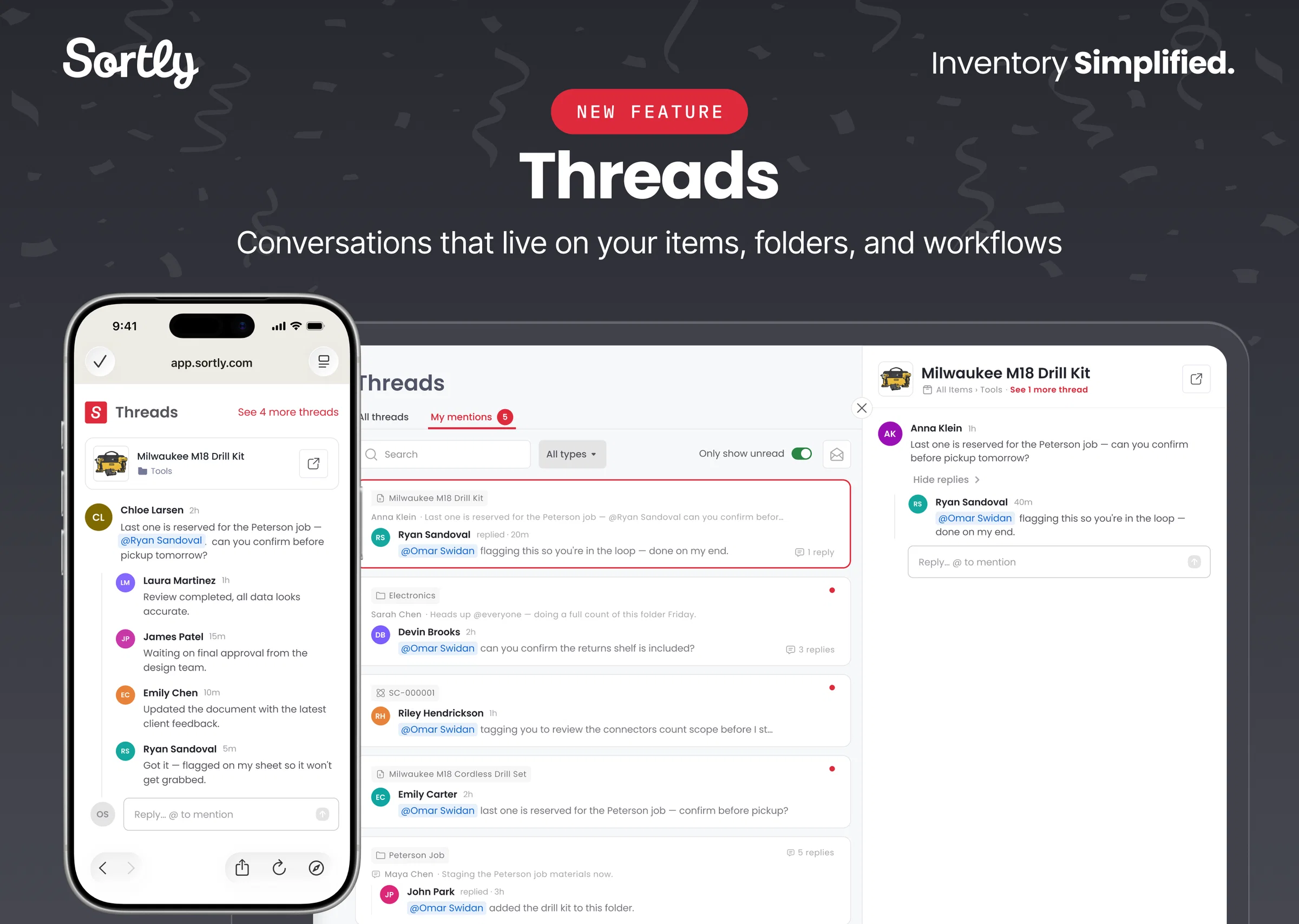
Threads is your new built-in team messaging feature. It centralizes communication tied directly to your inventory, so you can stay in control of your items and context never gets lost in a spreadsheet, text, or email thread.
With Threads, you can:
- Start conversations on any item, folder, or workflow: just click the chat icon in the top bar of any entity to start a thread.
- Reply to comments and @mention teammates to hand off tasks or get fast responses.
- Use @everyone to send a team-wide broadcast tied to a specific item, folder, or workflow.
- Get notified the moment you're tagged: receive email alerts when @mentioned, even while you're away from Sortly.
On web, you can also:
- View all thread activity in one place: open the Threads inbox from the left-hand nav to see every conversation, with a dedicated My Mentions tab that surfaces every @mention so nothing gets missed.
👉 Start keeping track of your team comms — reply, @mention, and stay in the loop right from Sortly
🚨 Note: To make sure you get notified and nothing falls through the cracks, check that your alert preferences are set to On in Preferences. To help you get started, visit the help article for more information.
Threads is available on all paid plans. Conversations, @mentions, and alerts work on web and mobile; the Threads inbox is currently available on web only.